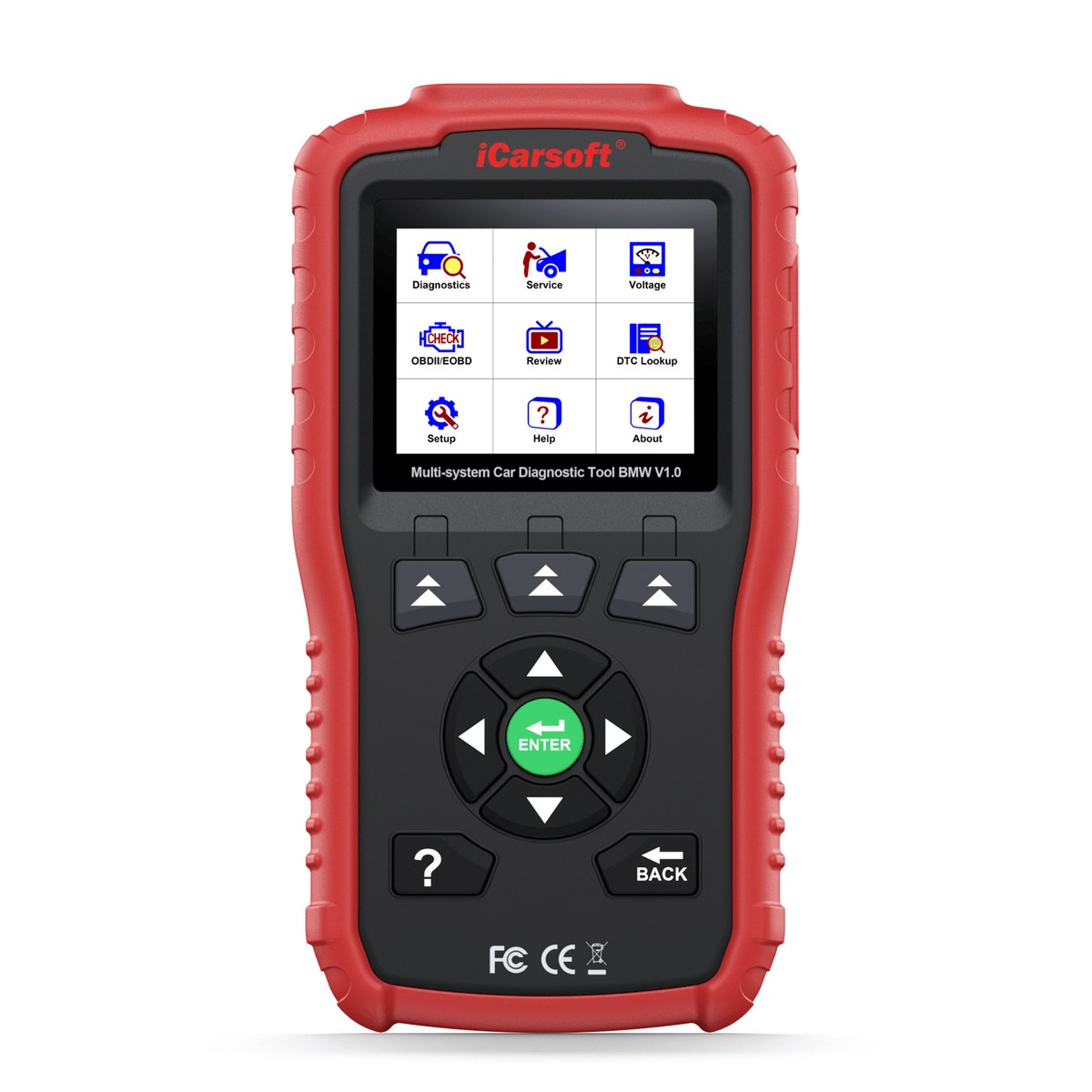
iCarsoft BMM V1.0
The BMM V1.0 covers a wide range of BMW / Mini / Rolls-Royce electronic systems—from engine and transmission to SRS airbag and ABS—providing comprehensive diagnostic scans, 2 essential service functions, and lifetime free software updates. It is the ultimate plug-and-play companion compatible with all BMW / Mini / Rolls-Royce models from 1996 to 2025. Standard 16-pin OBD2 covers 2001+ models; pre-2001 models require the optional 20-pin adapter (sold separately).
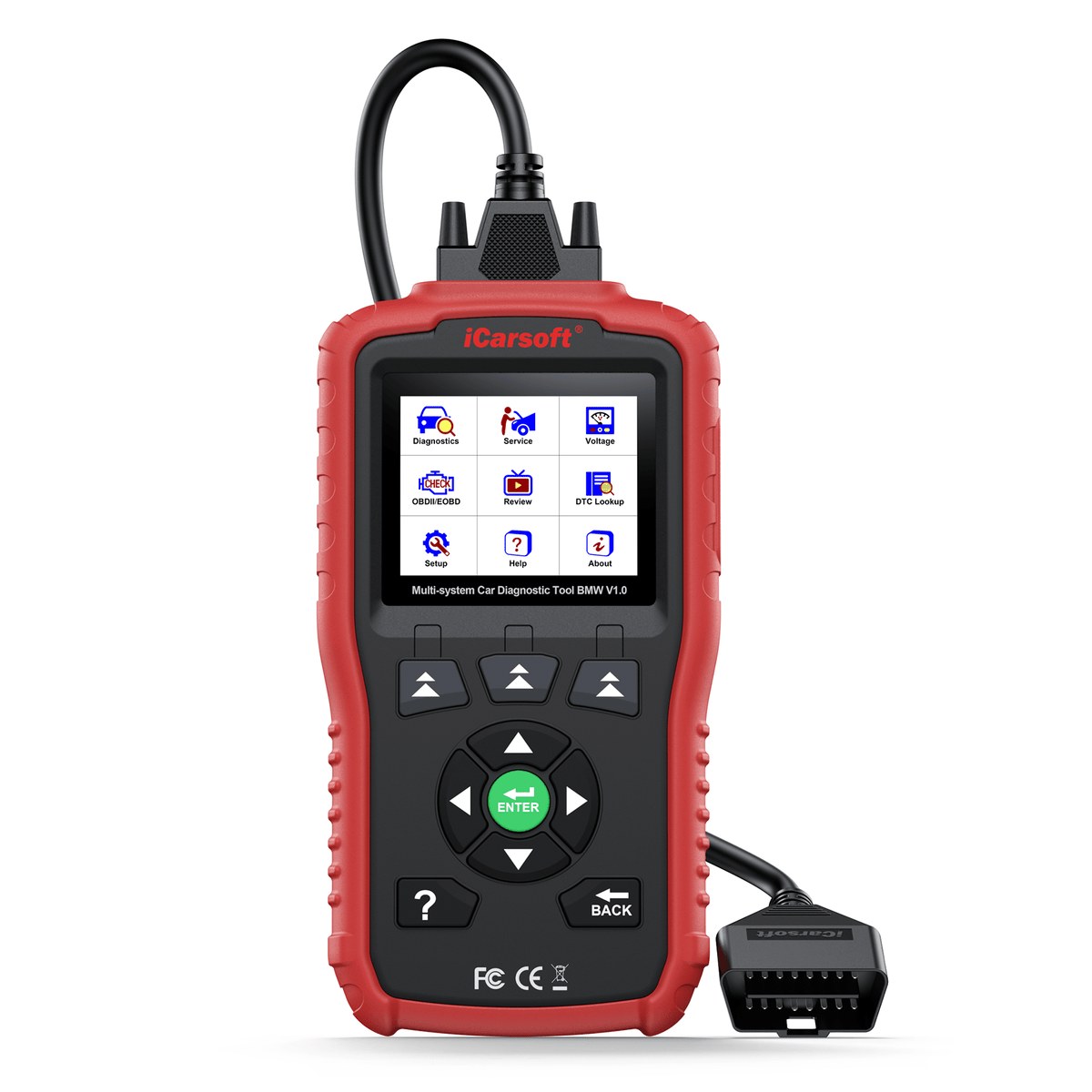
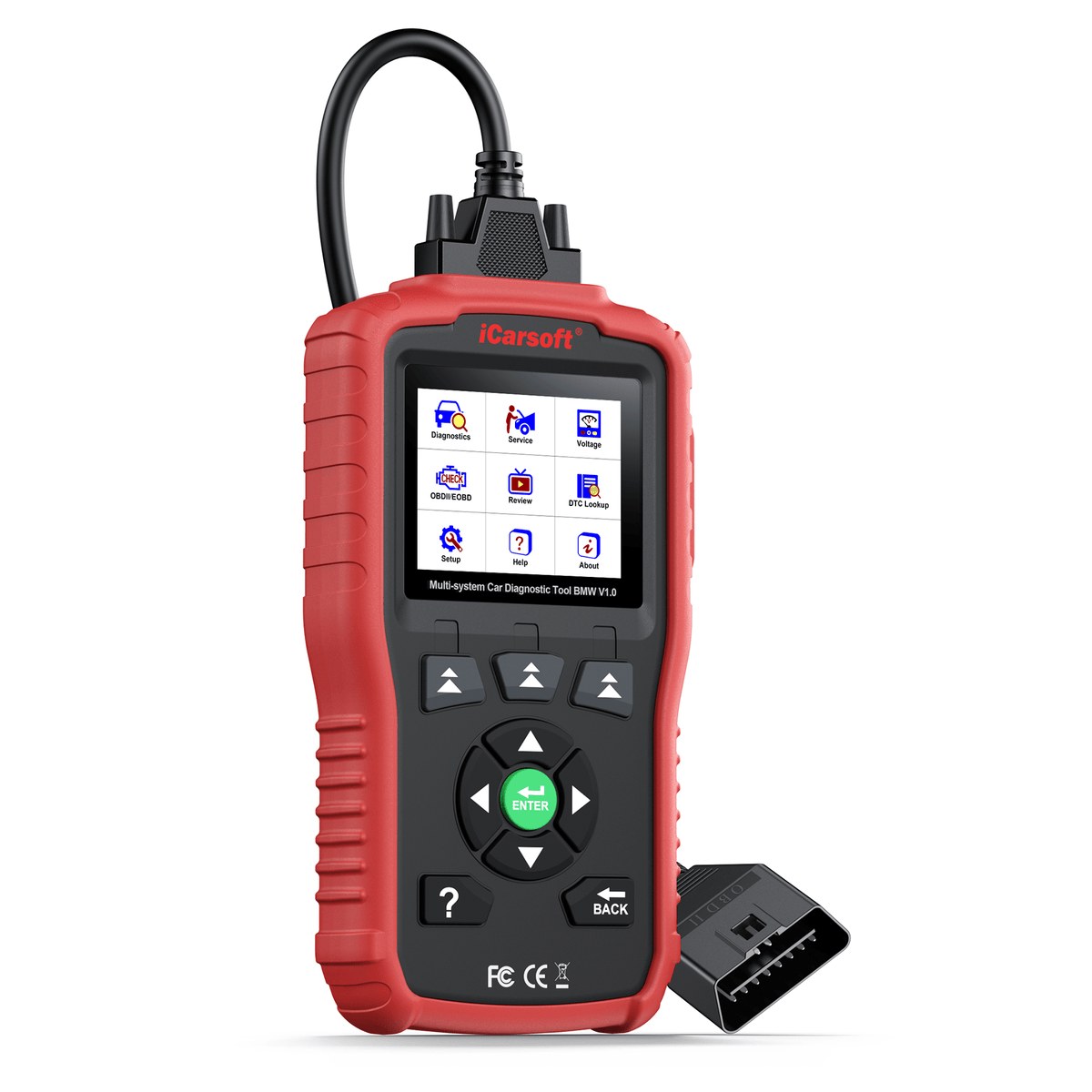
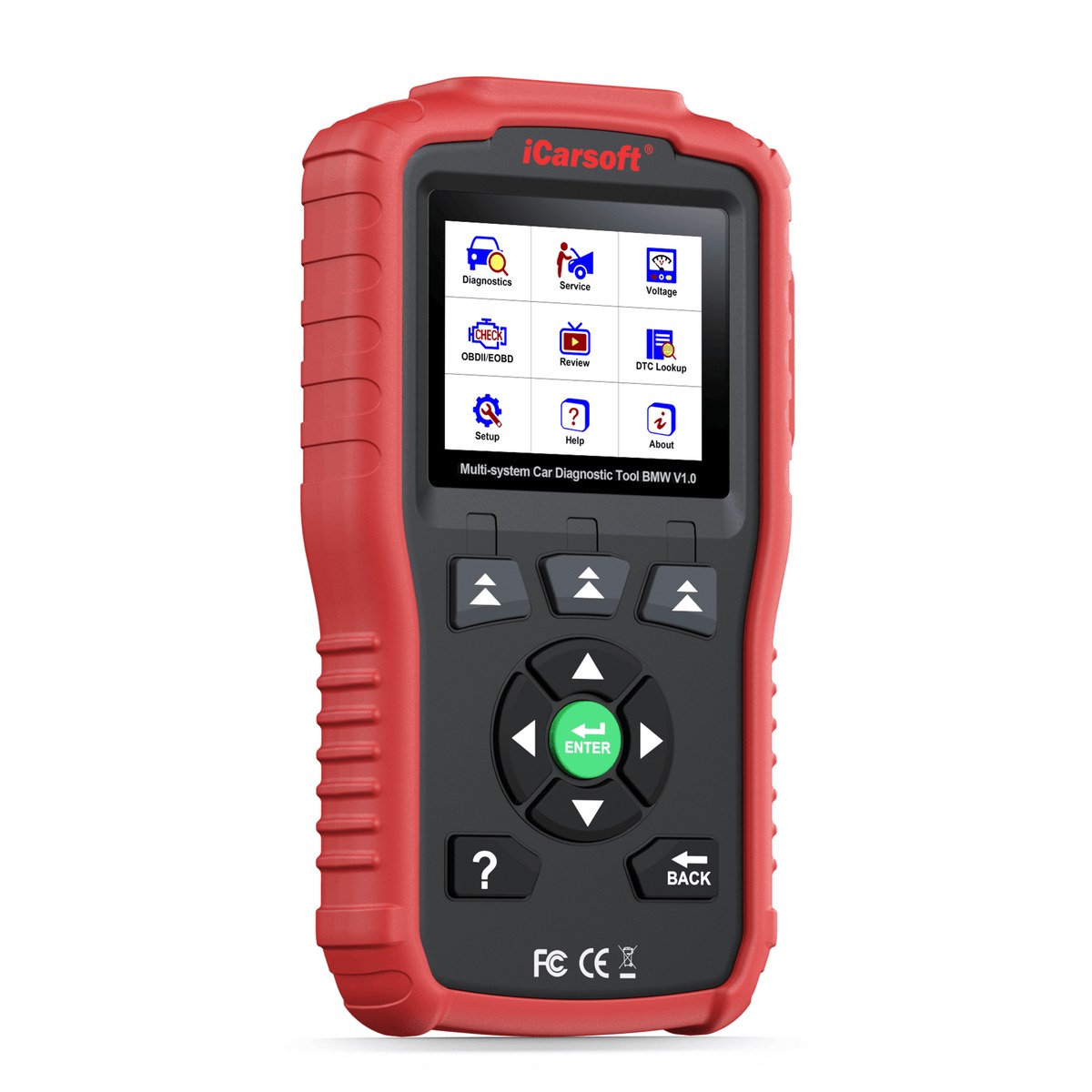
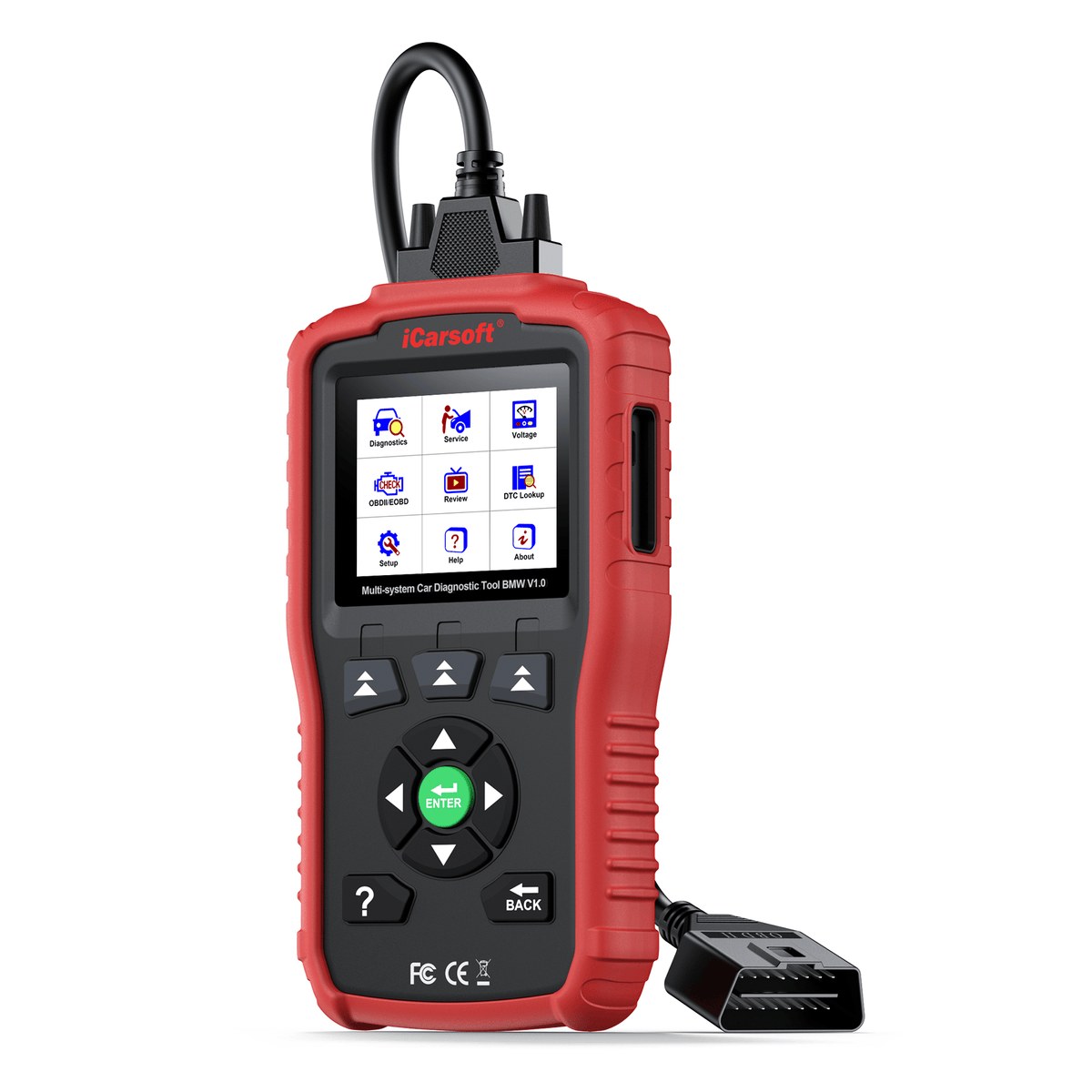
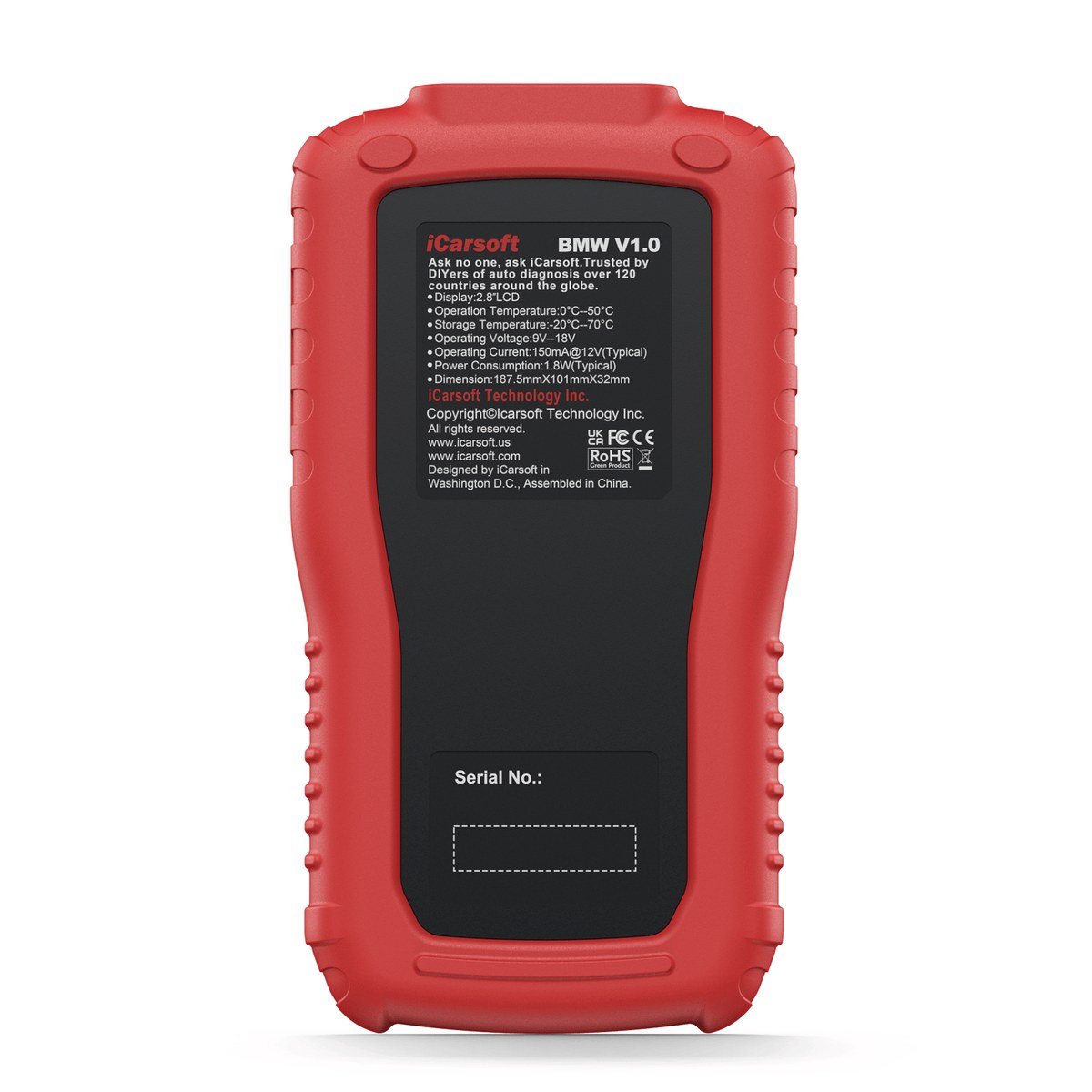
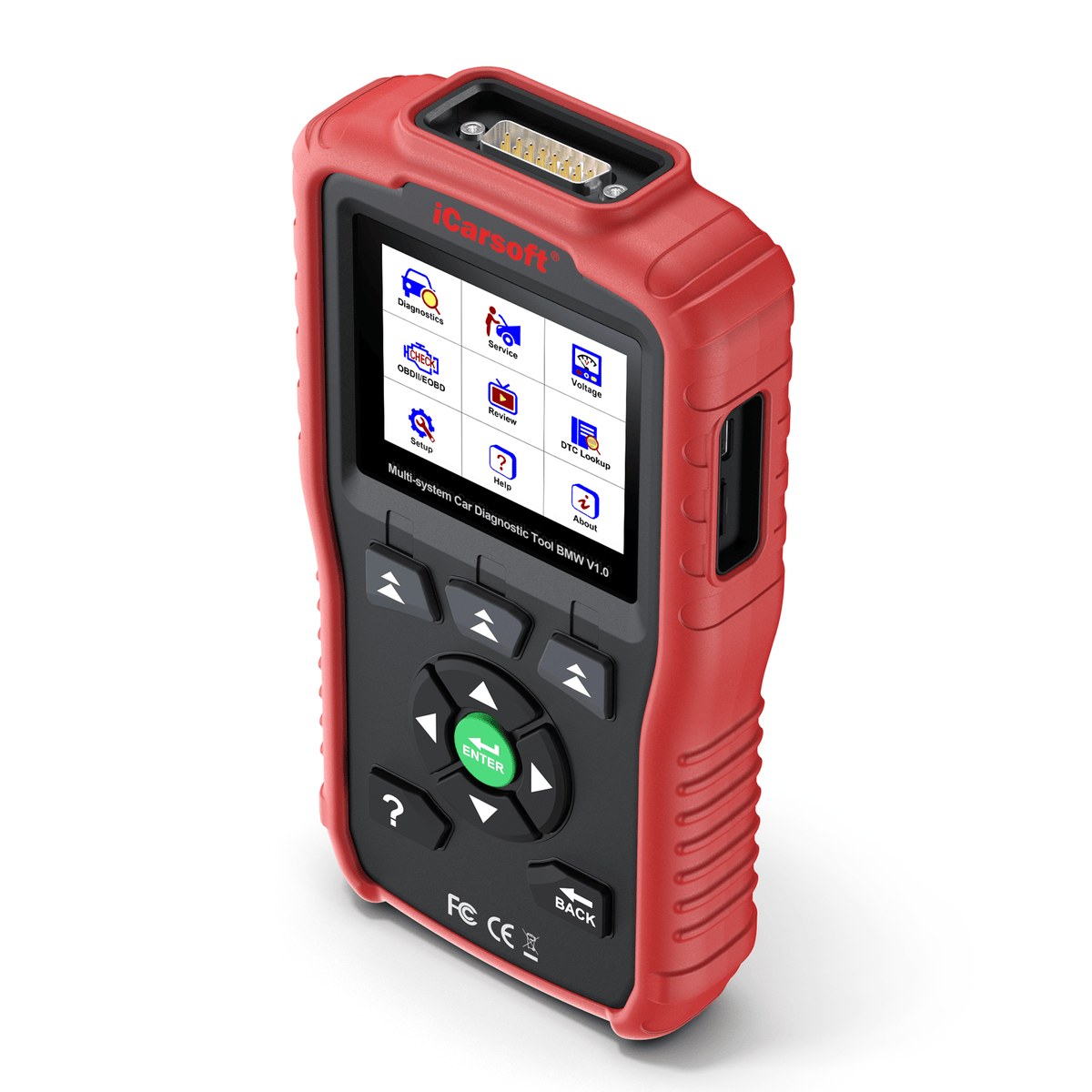
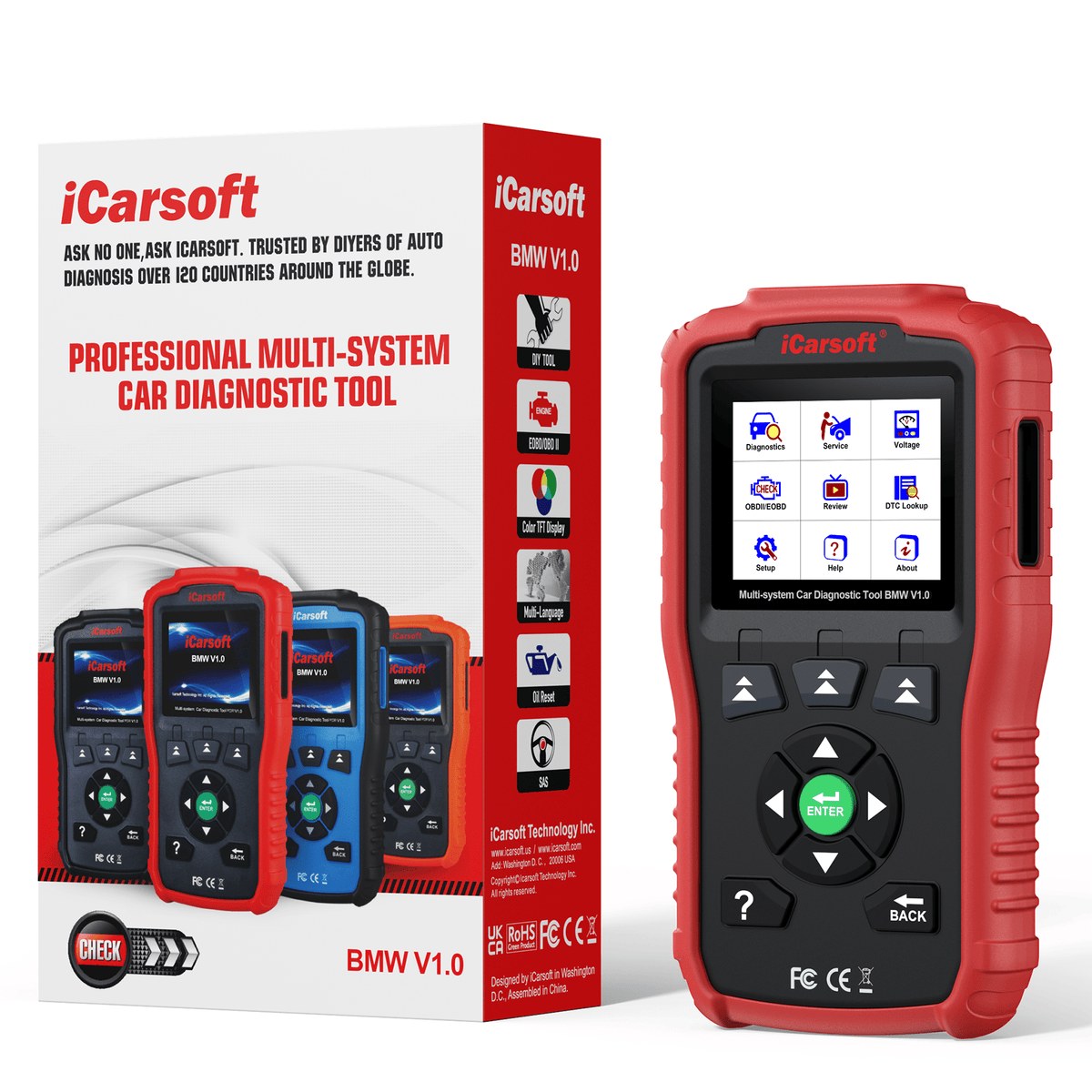
Solid in the hand. Instant on the screen.
The iCarsoft BMM V1.0 features a vibrant 2.8-inch screen and intuitive button navigation for quick, effortless menu browsing. Supports seamless software and vehicle-database updates — no Wi-Fi needed, just update anytime via your PC.
Buy it once. Keep it current forever.
Unlike other OBD scan tools on the market that require annual subscription fees, the BMM V1.0 offers lifetime free software upgrades.
 UPDATE PLAN
Fluent in the newest language your car speaks.
CAN-FD (Controller Area Network – Flexible Data-rate) is a next-generation automotive communication protocol adopted by BMW / Mini / Rolls-Royce.
What is CAN-FD?
CAN-FD (Controller Area Network – Flexible Data-rate) is the next-generation evolution of the classic CAN bus, now adopted across the newest BMW / Mini / Rolls-Royce platforms.
- Flexible Data-Rate: Transfers larger data frames at faster speeds than classic CAN, keeping up with modern vehicle electronics.
- Adopted by BMW / Mini / Rolls-Royce: The communication standard used on the brands’ latest chassis generations.
CAN-FD Ready, Out of the Box
- Native CAN-FD Support: Talks the BMW / Mini / Rolls-Royce CAN-FD protocol directly from the standard OBD2 port.
- Newest Models Covered: Keeps the BMM V1.0 connected to the latest chassis in its 1996–2025 coverage range.
One Tool, Every Protocol
CAN-FD is only the newest layer — the BMM V1.0 speaks the full range of protocols used across three decades of BMW / Mini / Rolls-Royce models.
- Beyond CAN-FD: Also supports classic CAN (ISO 11898 high/medium/low-speed & single-wire), K/L-Line, ISO 9141-2, ISO 14230-2, ISO 15765, SAE-J1850 and more.
- Old or New, One Connector: Standard 16-pin OBD2 covers 2001+ models; pre-2001 models connect via the optional 20-pin adapter.
Plug in — your Bimmer introduces itself.
Skip the manual VIN typing — simply plug in, and the tool identifies your vehicle in seconds. No typos, no extra lookup time. This boosts accuracy, eliminates input errors, and delivers a smoother, more reliable diagnostic experience.
One-Plug Identification
- Automatic VIN Read: Simply plug into the OBD2 port and the BMM V1.0 identifies your BMW, Mini or Rolls-Royce in seconds.
- No Extra Lookup Time: Skip manual VIN typing and model-menu digging entirely — go straight to diagnostics.
Accuracy Built In
- Eliminates Input Errors: No typos means the scanner always loads the exact software profile for your vehicle.
- Smoother, More Reliable Sessions: Correct identification from the first second delivers a more reliable diagnostic experience.
Manual Selection Backup
AutoVIN depends on individual vehicle ECU protocols. If AutoVIN skips your car, it doesn't mean the device is faulty — you always have a second way in.
- Manual Selection Mode: Pick your model from the menu and every diagnostic and service function works exactly the same.
- Growing VIN Database: Send your VIN to the support team and it will be verified and added in the next software update.
Wrench in the language you think in.
BMW / Mini / Rolls-Royce scanner BMM V1.0 supports English, German, French, Dutch, Spanish, and Italian.
The two resets every Bimmer owner ends up needing.
The BMM V1.0 is far more than a basic code reader. It integrates 2 commonly-used service functions for daily maintenance tasks.
Allows you to reset the engine oil life system, service lamp, service mileage, and service intervals after an oil change.
Calibrates the steering wheel to the straight-ahead position, or recalibrates the SAS after steering component replacement.
Every ECU on the bus, within reach.
In addition to the four standard systems (Engine, ABS, Airbags, and Transmission), the BMM V1.0 provides diagnostic coverage for more complex vehicle systems.
Read & Clear Codes and Freeze Frame
- Read and Clear DTCs: Pull trouble codes from every supported system and clear them once the repair is done.
- Read and Clear Freeze Frame Data: Review the exact sensor snapshot captured when a fault occurred, then clear it after servicing.
Live Data & ECU Information
- Read Live Data: Watch real-time sensor values and parameter streams while the vehicle is running.
- Read ECU Information: View each control module's identification details for accurate servicing and part matching.
Every Module, One Connector
Full-system coverage means the BMM V1.0 doesn't stop at the powertrain — it reaches the complex body, chassis and driver-assistance modules too.
- Access all ECU modules via OBDII-16 DLC: Reach every module on the vehicle through the standard 16-pin diagnostic connector.
Emission day, sorted in one pass.
Supports all 10 OBD2 test modes for vehicles compliant with 1996+ OBDII/EOBD/JOBD/KOBD/CAN/CAN-FD standards: Read Codes, Erase Codes, I/M Readiness, Live Data, Freeze Frame, Vehicle Information, O2 Monitor Test, On-Board Monitor Test, EVAP System Test, and Pending Codes.
Don’t leave your classic behind.
Don't leave your classic behind. The BMM V1.0 delivers full diagnostic power to vintage, pre-2001 BMW models. By using the dedicated iCarsoft 20-pin adapter (available separately), you can seamlessly scan iconic heritage chassis including:
E-Chassis Cars
E23, E24, E28, E30, E31, E32, E34, E36, E38, Z3 (E36)
Early Generation Models
Early E39, Early E46, E52 (Z8), Early E53 (X5)
20-Pin BMW Adapter — required for pre-2001 BMW models, sold separately.
Shop Adapter →Every scan remembered, every report ready.
Users can quickly access previously tested vehicle systems and save, share, and print diagnostic reports.
Diagnostic History
Quickly access previously tested vehicle systems and earlier scan results.
Save & Share
Save and share full diagnostic reports with customers or colleagues.
Print Reports
Diagnostic data can also be printed for future reference by connecting the device to a Windows PC via USB.
Feedback Function
Use the Feedback function to report issues encountered during use — our technical team will review and provide assistance.
The numbers behind the confidence.
| Display | 2.8-inch TFT LCD color screen with 320 x 240 resolution |
| Operating Current | 150 mA @ 12 V (Typical) |
| Power | 9-18V |
| USB Type-C Input | 5V / 500mA |
| Power Consumption | 1.8W (Typical) |
| Operating Temp. | 0 to 50°C (32 to 122°F) |
| Storage Temp. | -20 to 70°C (-4 to 158°F) |
| Operating Humidity | 5% - 95% non-condensing |
| Dimensions (W x H x D) | 187.5 × 101 × 32 mm (7.38 × 3.98 × 1.26 in) |
| Net Weight | < 400 g |
| Supported Automotive Protocols | ISO 9141-2, ISO 14230-2, ISO 15765, K/L-Line, Flashing Code, SAE-J1850 VPW, SAE-J1850 PWM, ISO 11898 (High-speed, Medium-speed, Low-speed, and Single-wire CAN), CAN-FD, SAE J2610, GM UART, UART Echo Byte Protocol, Honda Diag-H Protocol, TP2.0, TP1.6 |
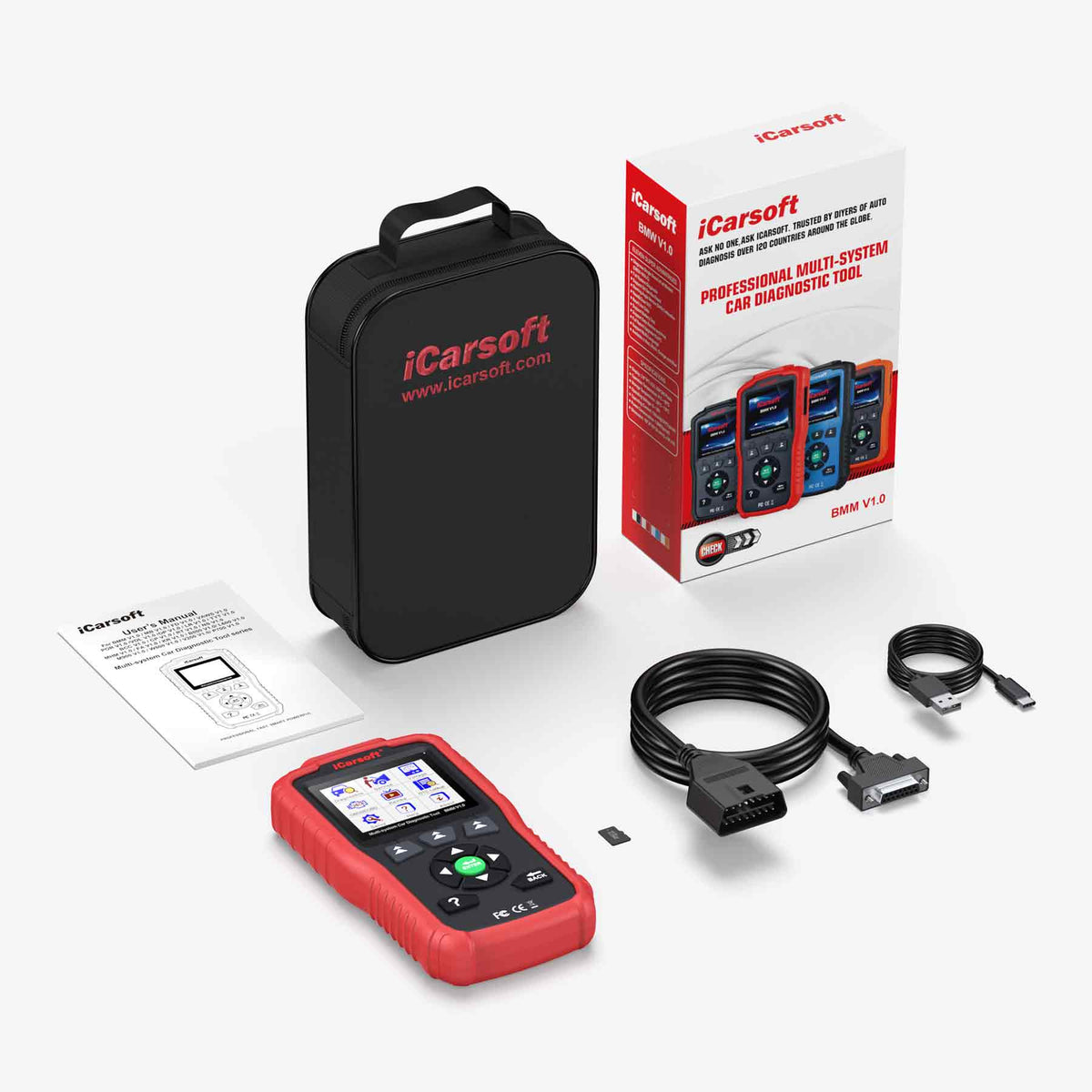
Everything you need, in the case.
Where the V1.0 sits in the BMM family.
Every BMM scanner carries the same trusted BMW / Mini / Rolls-Royce coverage — the V1.0 is the essential entry with the two most-used resets built in. Newer generations add more service functions, then bi-directional control.
| Feature | BMM V1.0 | BMM V2.0 | BMM V3.0 | BMM V4.0 |
|---|---|---|---|---|
| Coverage | BMW Mini Rolls Royce | BMW Mini Rolls Royce | BMW Mini Rolls Royce | BMW Mini Rolls Royce +2 additional vehicle make groups free of charge |
| Display Size | 3.5 inches | 4 inches | 4 inches | 5 inches |
| Interaction | Physical Buttons | Physical Buttons | Physical Buttons | Touchscreen |
| System Access | Full systems | Full systems | Full systems | Full systems |
| Update Method | USB | USB | USB | Wi-Fi |
| Free Lifetime Updates | ✔ | ✔ | ✔ | ✔ |
| Bi-directional / Active Test | ✘ | ✘ | ✔ | ✔ |
| Oil Service Reset | ✔ | ✔ | ✔ | ✔ |
| SAS Reset | ✔ | ✔ | ✔ | ✔ |
| EPB/Brake-Pad Reset | ✘ | ✔ | ✔ | ✔ |
| Electronic Throttle Control | ✘ | ✔ | ✔ | ✔ |
| DPF Regeneration | ✘ | ✔ | ✔ | ✔ |
| Injector Coding | ✘ | ✔ | ✔ | ✔ |
| ABS Bleeding | ✘ | ✔ | ✔ | ✔ |
| BMS Reset | ✘ | ✔ | ✔ | ✔ |
| TPMS Reset | ✘ | ✔ | ✔ | ✔ |
| 6 High Level Service Functions | ✘ | ✘ | ✔ | ✔ |
Check your connection before you order.
Standard 16-Pin OBD2
Built in on every BMM V1.0 — plug-and-play on BMW / Mini / Rolls-Royce models with the standard OBD2 port. No adapter needed.
20-pin BMW Adapter
For BMW E30, E36, Early E46, E34, Early E39, E32, E38, E36 Z3, E52, Early E53, E31, E28, E24, E23. Pre 2001 BMW models.
Driving a pre-2001 classic? The 20-pin BMW adapter is sold separately — contact us to confirm the right fit for your chassis.
Shop Adapter →Everything you need to know.
Persistent hardware faults need physical repair prior to code clearance.
Check Vehicle Compatibility: Ensure your vehicle is a BMW / Mini / Rolls-Royce (1996-2025).
Turn Off Power-Saving: Disable any eco/battery-saving modes on the vehicle that might shut down modules during diagnosis.
Update Device: Update both the firmware and vehicle software to the latest versions.
Check Ignition: Ensure the vehicle key is turned to the "ON" position.
Watch it work — reviews from drivers & pros.
Independent YouTube reviews of the BMM V1.0 from BMW / Mini / Rolls-Royce owners, mechanics and channels — see the unit running live diagnostics and full-system service functions on real cars before you decide.
These are independent reviews hosted on YouTube — each reflects the creator’s own opinion, not a paid endorsement. Videos load only when you press play, so the page stays fast.
Manual & software updates.
Download the user manual, check the full function & vehicle coverage list, and review warranty & returns before you buy.
Multi-Language User Manual
The complete user manual for the BMM V1.0 — setup, full-system diagnostics, service functions and troubleshooting.
Function List & Vehicle Coverage
See exactly which BMW / Mini / Rolls-Royce models and functions the BMM V1.0 supports, by system.
Warranty & Returns
Backed by the iCarsoft manufacturer warranty. Review the full warranty terms and the returns & refunds policy.
Available through authorized sellers.
The BMM V1.0 is sold through authorized iCarsoft sellers worldwide. Contact our team to confirm compatibility for your vehicle, check stock, or find your nearest authorized distributor.
Interested in the BMM V1.0?
This page is for product information. Tell us what you need and our team will get back to you shortly — to confirm vehicle compatibility, request a quote, or find your nearest authorized dealer.
- Confirm vehicle compatibilityCheck support for your VIN / model year
- Get pricing & availabilityQuotes, stock, wholesale & retail inquiries
- Find a local authorized dealerWe connect you with your nearest channel
Want to become a dealer? Apply to partner →
By submitting, you agree to be contacted about this inquiry. We never share your information.