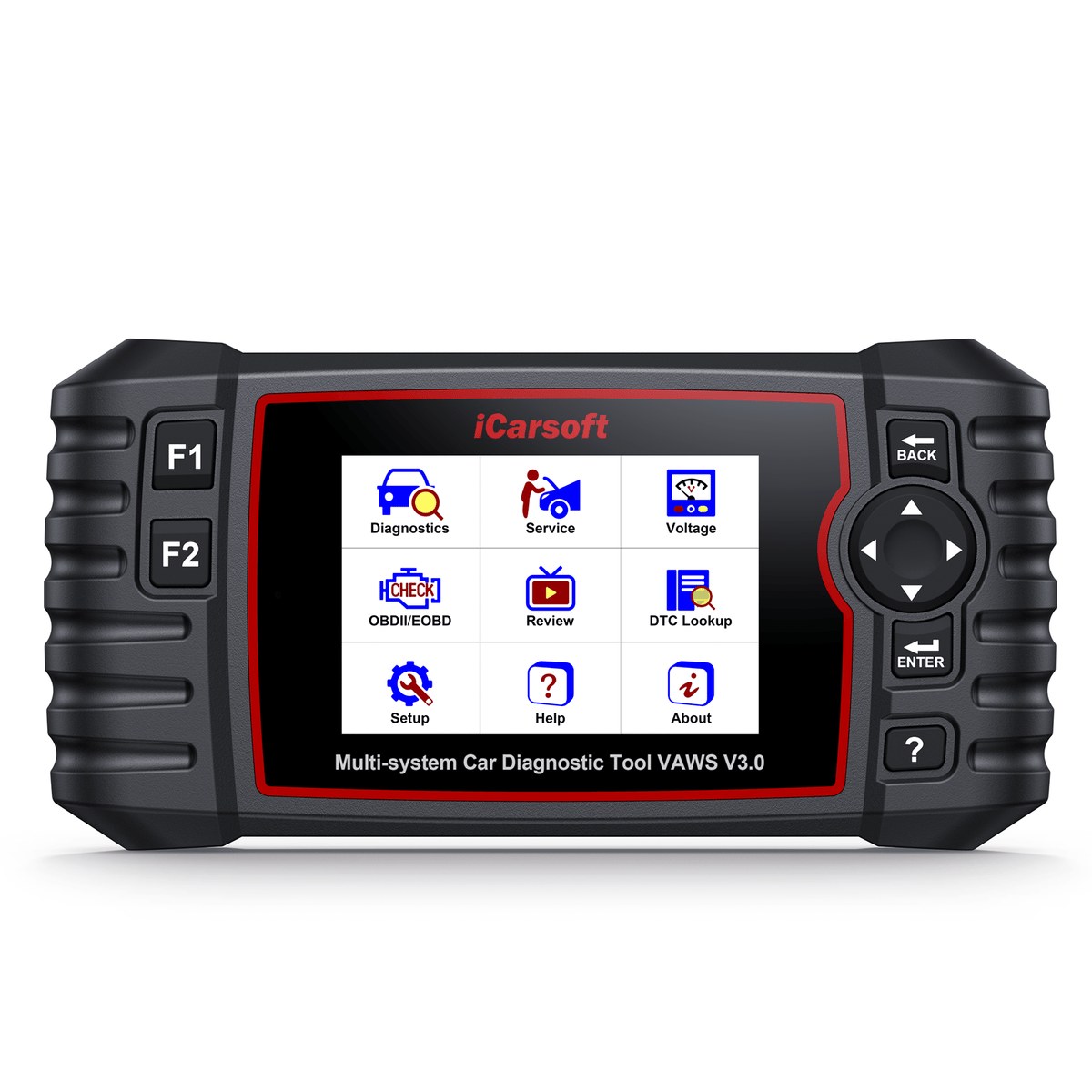
iCarsoft VAWS V3.0
The VAWS V3.0 covers every Audi / Bentley / Bugatti / Lamborghini / SEAT / Skoda / VW / VW Commercial Vehicles / VW LT3 / MAN Light-Duty system — from engine and transmission to airbag, ABS, and ECU adaptations — with full bidirectional control, 41 service functions, and lifetime free software updates. Compatible with V.A.G group from 1996 to 2025.
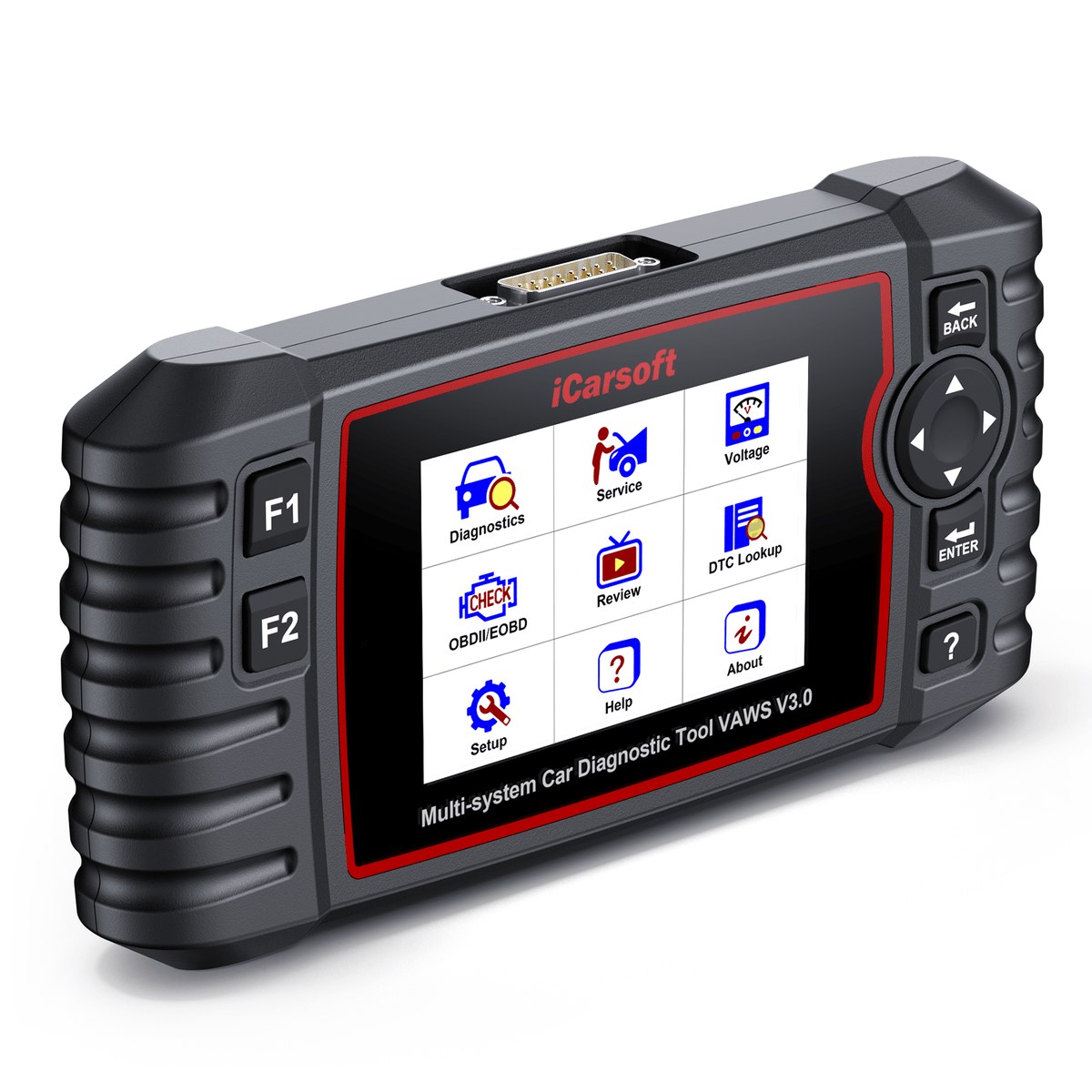
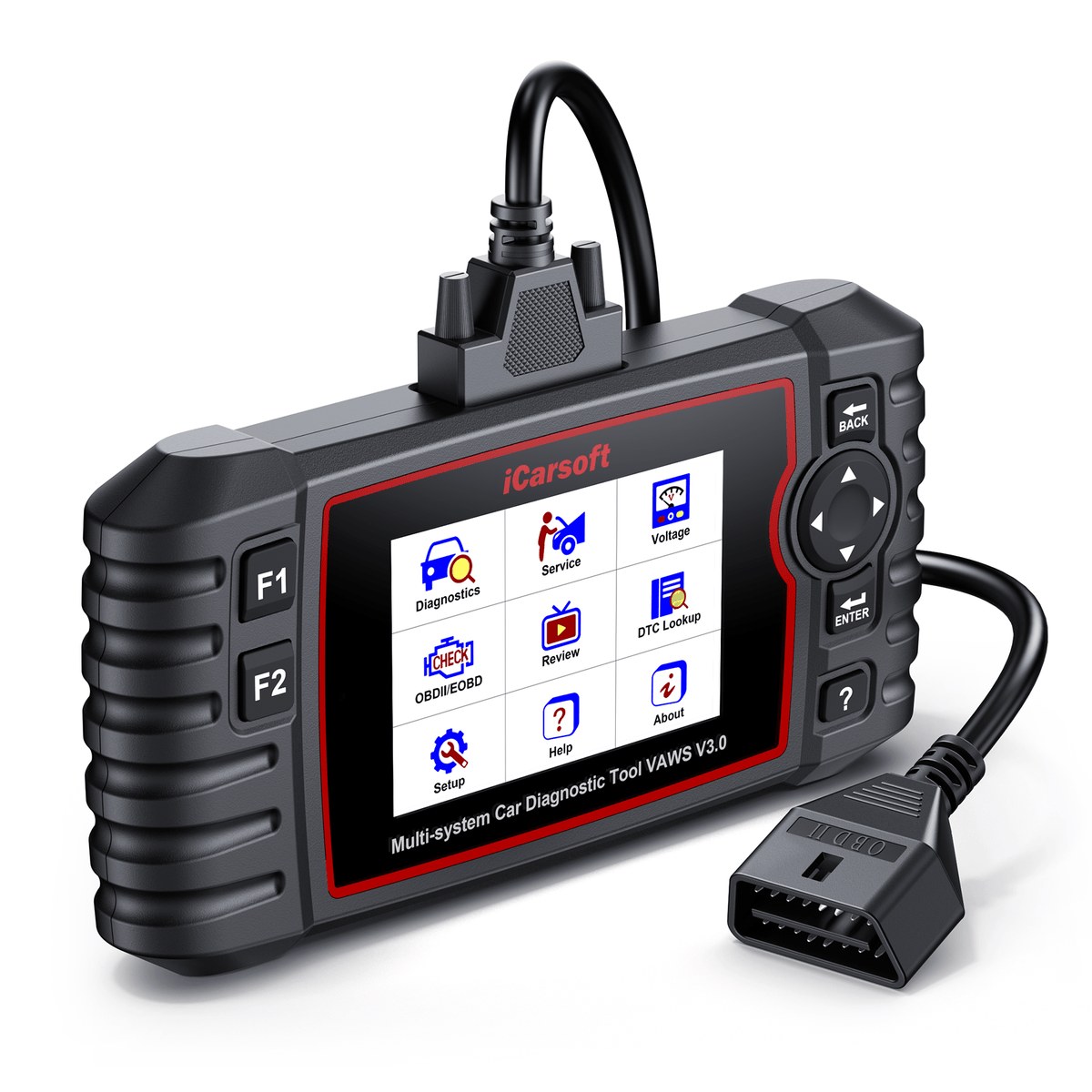
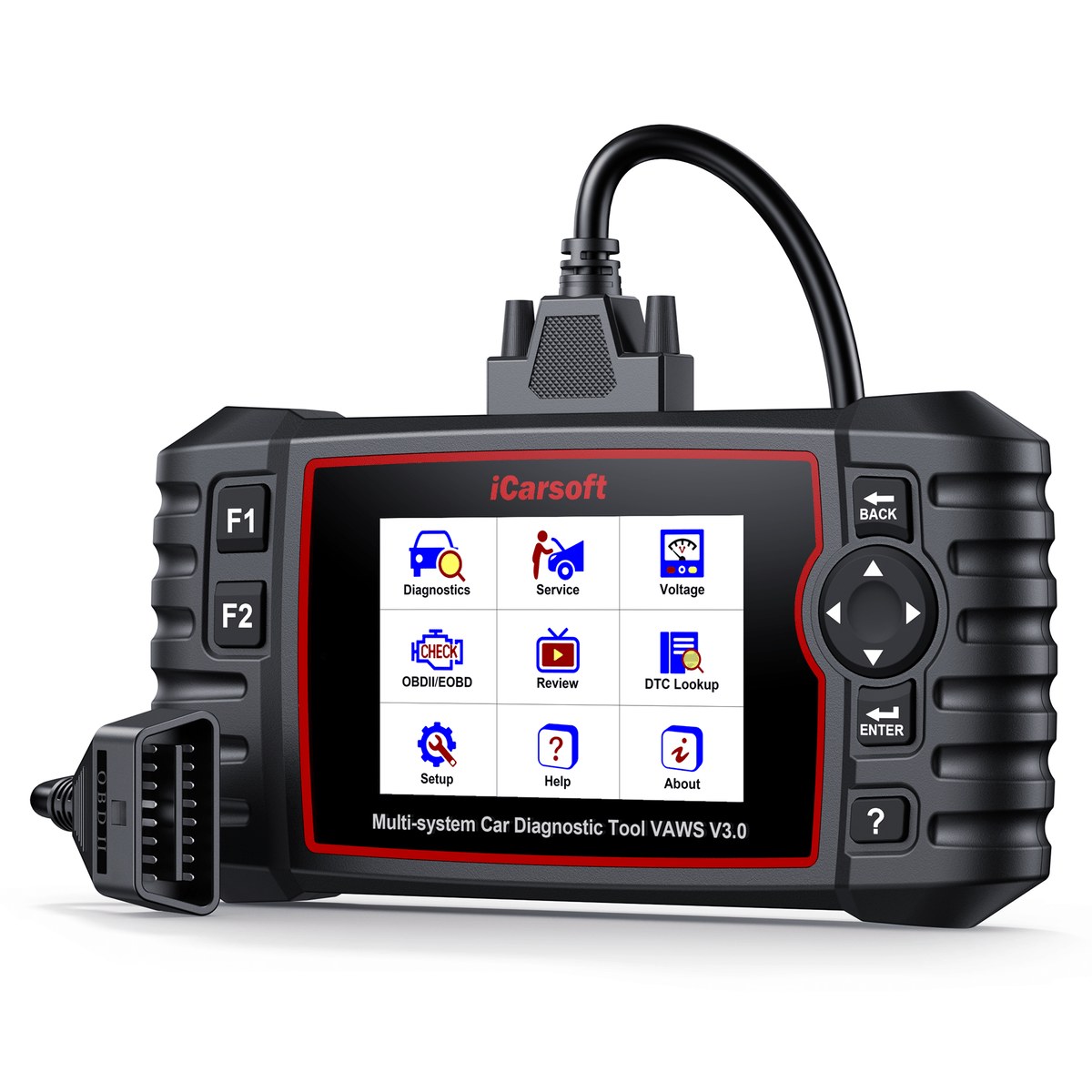
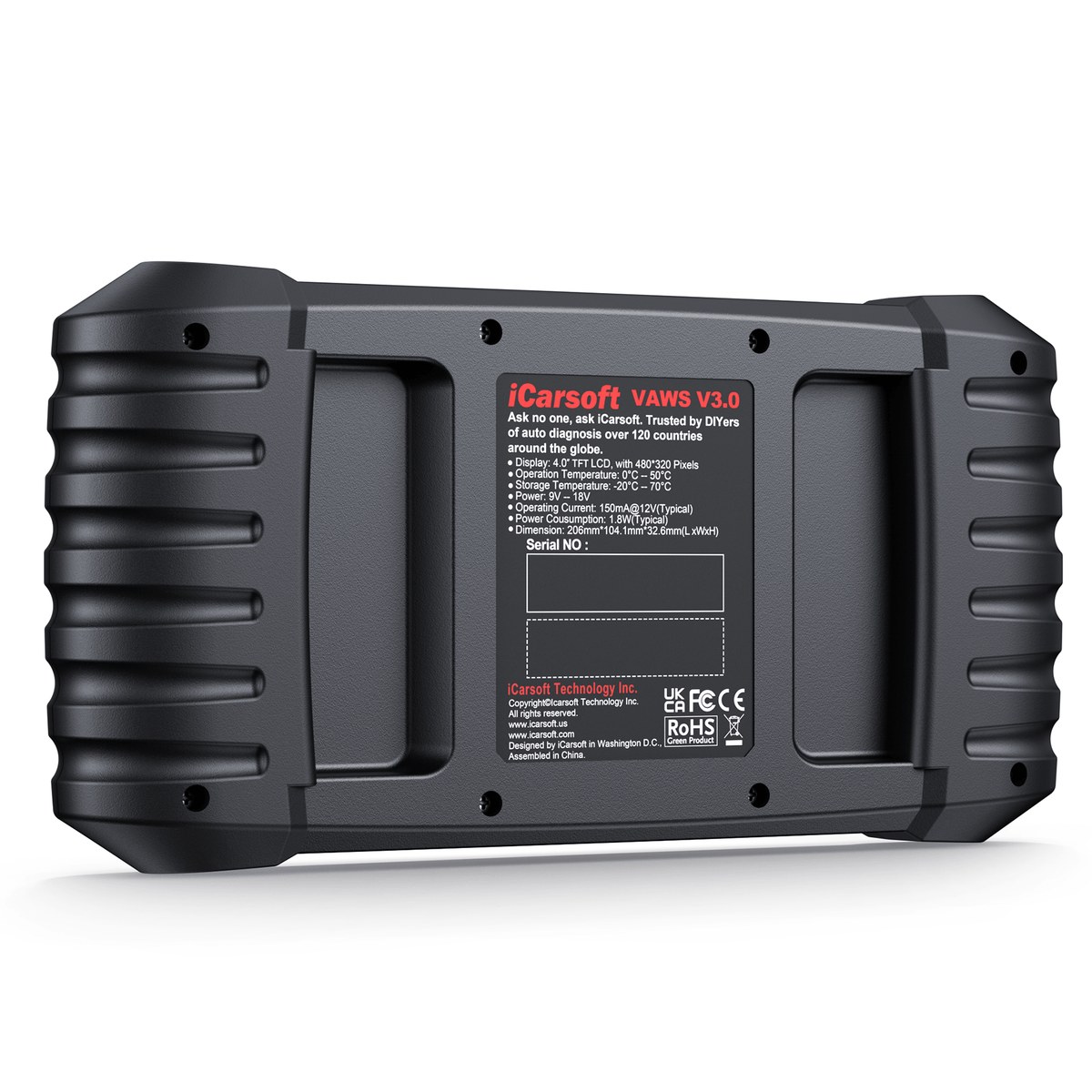
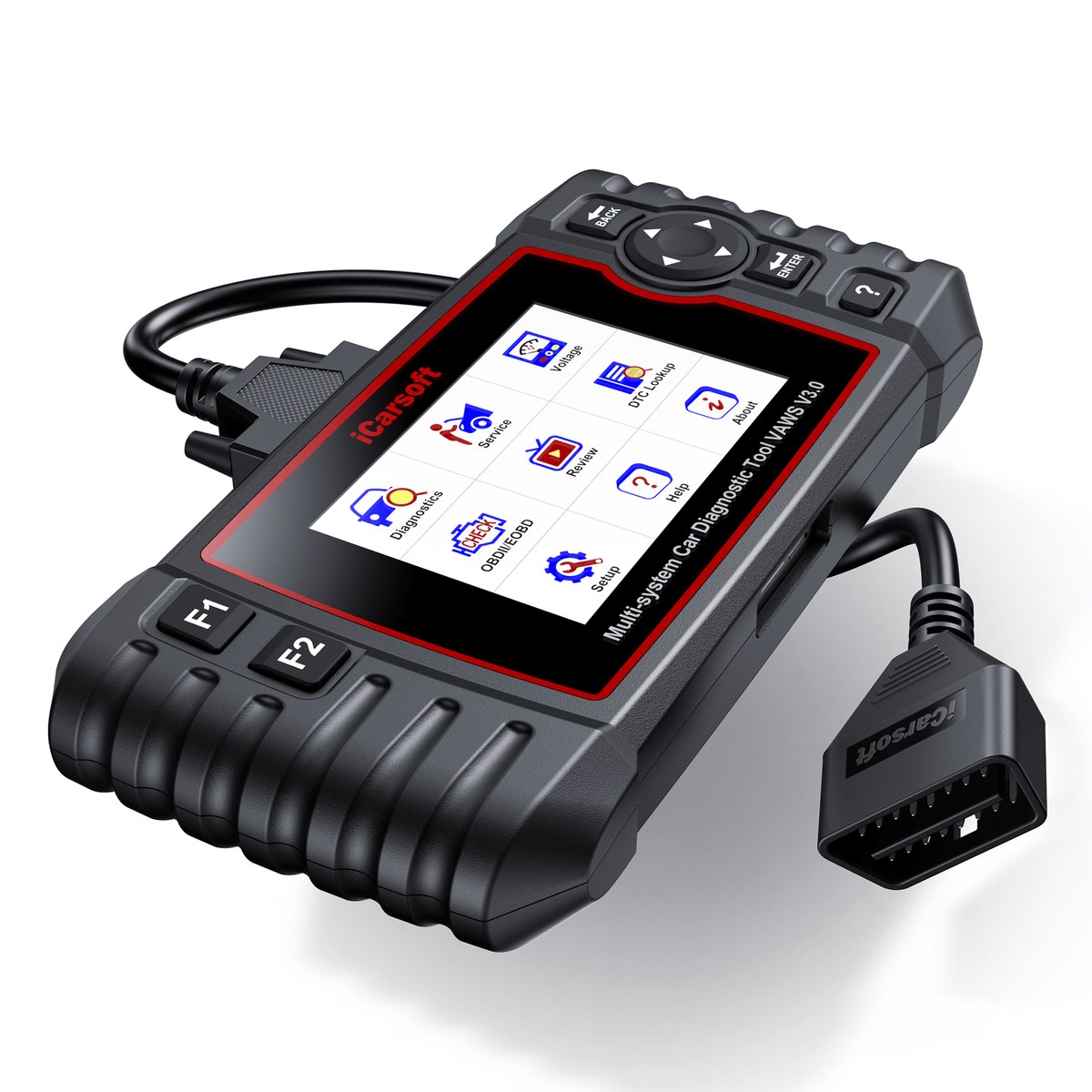
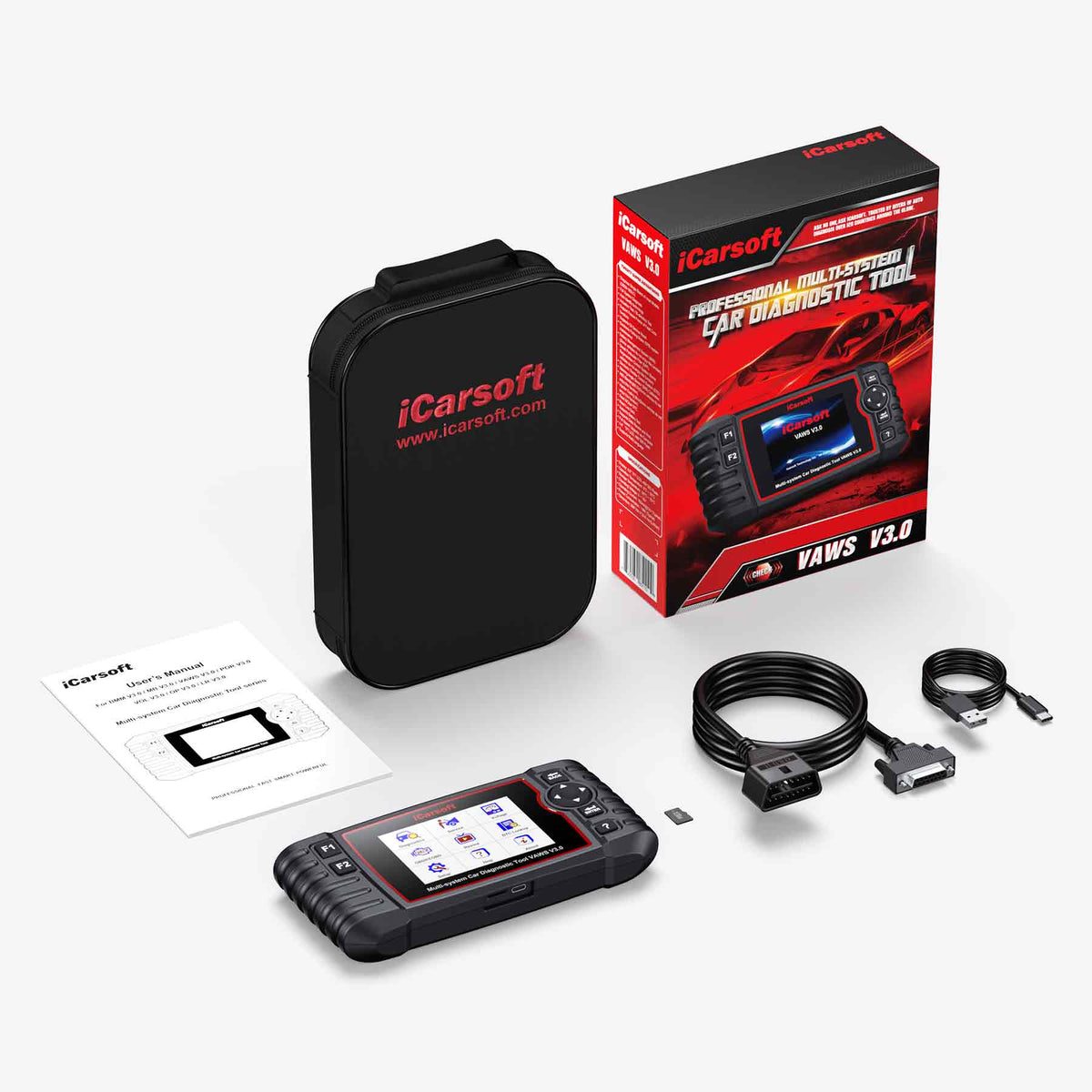
Tough, simple, and ready out of the case.
The iCarsoft VAWS V3.0 features a vibrant 4-inch screen and intuitive button navigation for quick, effortless menu browsing. It also comes standard with a dedicated card reader, making software and vehicle database updates entirely seamless via your PC. No Wi-Fi needed — update anytime via the included card reader and your PC.
The coding menu the dealer uses — now on your bench.
Engineered for ultimate precision, the VAWS V3.0 delivers extensive ECU coding capabilities for major V.A.G models from 2010 onward. (Full-system diagnostics and service functions cover models from 1996 to 2025.) To ensure a seamless user experience, it features a dedicated, standalone [Coding] function menu built directly into the diagnostic software for quick, intuitive access—eliminating complex navigation and putting dealer-level customization right at your fingertips.
Code the ECU based on your vehicle's factory or custom attributes, including body style, trim variant, steering wheel position (LHD/RHD), and fuel type.
Write original vehicle configuration data into a newly replaced ECU module, seamlessly resolving faults caused by coding mismatches.
Hidden Features & Personalization (Requires Coordination with Basic Settings & Adaptation)
- Modify country/regional coding settings.
- Change vehicle brand identifiers within the system.
- Update and refresh the vehicle's ECU installation list.
- Adjust daytime running lights (DRL) switching logic.
- Customize automatic central locking timing and preferences.
Your scanner speaks. The car obeys.
What is Bi-Directional Control? The VAWS V3.0 doesn't just read codes — it talks directly to your car. This professional-grade scanner sends active commands straight to individual vehicle modules and watches them respond in real time, bypassing the cabin switches entirely.
Body & Comfort Active Tests
Why do you need it? Imagine a power window won't roll up. Is it a broken door switch, a blown fuse, or a dead motor? Instead of ripping apart the door panel to test wires, you just tap the screen on your VAWS V3.0. If the window rolls down, you know the motor is perfectly fine and the switch is the culprit. No more guesswork, no more buying parts you don't need.
- Command window regulators up and down to isolate bad switch clusters.
- Trigger door locks and side mirrors to pinpoint body control module glitches.
Powertrain & Fuel Active Tests
Send commands straight to the engine-side modules and watch each component respond in real time.
- Kick on the fuel pump instantly to verify fuel pressure dropping issues.
- Modulate throttle opening to check for sticking carbon deposits.
Chassis & Brake Active Tests
Take direct control of the hydraulic hardware that normally only responds while driving.
- Cycle the ABS pump motor to purge trapped air during brake bleeding.
Dynamic Output Tests
Beyond the headline tests, the VAWS V3.0 can exercise nearly every electrically driven component on the car.
- Run dynamic output tests on virtually any onboard actuator or solenoid in minutes.
One price on day one — and that's the end of it.
Unlike other OBD scan tools on the market that require annual subscription fees, the VAWS V3.0 offers lifetime free software upgrades.
 UPDATE PLAN
Keeps pace with the group's newest electronics.
CAN-FD (Controller Area Network – Flexible Data-rate) is a next-generation automotive communication protocol adopted by V.A.G group vehicles.
What is CAN-FD?
CAN-FD (Controller Area Network – Flexible Data-rate) is the next-generation evolution of the classic CAN bus, now adopted across the newest V.A.G group platforms.
- Flexible Data-Rate: Transfers larger data frames at faster speeds than classic CAN, keeping up with modern vehicle electronics.
- Adopted by V.A.G group: The communication standard used on the brands' latest chassis generations.
CAN-FD Ready, Out of the Box
- Native CAN-FD Support: Talks the V.A.G group CAN-FD protocol directly from the standard OBD2 port.
- Newest Models Covered: Keeps the VAWS V3.0 connected to the latest chassis in its 1996–2025 coverage range.
One Tool, Every Protocol
CAN-FD is only the newest layer — the VAWS V3.0 speaks the full range of protocols used across three decades of V.A.G group models.
- Beyond CAN-FD: Also supports classic CAN (ISO 11898 high/medium/low-speed & single-wire), K/L-Line, ISO 9141-2, ISO 14230-2, ISO 15765, SAE-J1850 and more.
- Old or New, One Connector: Standard 16-pin OBD2 covers 2001+ models; pre-2001 models connect via the optional 20-pin adapter.
Plug in. The right model loads by itself.
Skip the manual VIN typing — simply plug in, and the tool identifies your vehicle in seconds. No typos, no extra lookup time. This boosts accuracy, eliminates input errors, and delivers a smoother, more reliable diagnostic experience.
One-Plug Identification
- Automatic VIN Read: Simply plug into the OBD2 port and the VAWS V3.0 identifies your BMW, Mini or Rolls-Royce in seconds.
- No Extra Lookup Time: Skip manual VIN typing and model-menu digging entirely — go straight to diagnostics.
Accuracy Built In
- Eliminates Input Errors: No typos means the scanner always loads the exact software profile for your vehicle.
- Smoother, More Reliable Sessions: Correct identification from the first second delivers a more reliable diagnostic experience.
Manual Selection Backup
AutoVIN depends on individual vehicle ECU protocols. If AutoVIN skips your car, it doesn't mean the device is faulty — you always have a second way in.
- Manual Selection Mode: Pick your model from the menu and every diagnostic and service function works exactly the same.
- Growing VIN Database: Send your VIN to the support team and it will be verified and added in the next software update.
Diagnostics with no language barrier.
The V.A.G scanner VAWS V3.0 supports 15 interface languages — pick yours from the list below.
Forty-one jobs the dealer charges for — now yours.
The VAWS V3.0 is far more than a basic code reader. It integrates 9 commonly-used service functions for daily maintenance and 32 advanced professional functions for complex repair tasks.
Allows you to reset the engine oil life system, service lamp, service mileage, and service intervals after an oil change.
Relearns throttle valve control parameters after resetting or replacing the throttle body.
Retracts the electric parking brake calipers and resets the brake pads after replacement.
Calibrates the steering wheel to the straight-ahead position, or re-calibrates the SAS after steering component replacement.
Performs DPF regeneration, component replacement initialization, and DPF relearning after engine control unit replacement — for diesel particulate filter systems.
Relearns the injector control parameters when an injector is renewed or replaced.
Bleeds air from the system to restore ABS brake response, or performs a relearn procedure after ABS replacement.
Supports calibration, height adjustment, system reset, and fault code clearing for air suspension systems. Lets you precisely set ride height, perform system initialization, and resolve common air suspension faults.
Evaluates the battery charge state, monitors closed-circuit current, registers battery replacement, and activates the vehicle's sleep mode.
Allows you to look up the tire sensor IDs from the vehicle's ECU, inputting TPMS sensor replacement IDs and testing sensors.
Supports routine maintenance of A/C modules, including A/C system adaptation reset, compressor reset, compressor break-in, and stepper motor initialization.
Initializes the adaptive headlamp system.
Supports routine maintenance of DSC modules, including resetting or deleting adaptation values, and initializing the unit.
Supports routine maintenance of engine modules, including resetting or deleting adaptation values, and calculating fuel consumption.
Supports routine maintenance of transmission modules, including resetting adaptation values and transmission fluid level adaptation.
Performs calibration after repairing or replacing the Seat position drive motor.
Activates the fuel pump after replacement.
Resets airbag data to clear the airbag (SRS) warning light after a collision.
Anti-theft Matching, disable any lost keys and add new keys. ONLY for vehicles with basic Immobilizer system.
Adjusts the engine idle speed.
Performs turbocharger learning after component replacement, or resets stored learned values.
Recirculates a portion of engine exhaust gas back into the intake system.
Performs full calibration after window lift motor repair or replacement.
Resets the AdBlue (urea) level counter after the diesel exhaust fluid is refilled or replaced.
Performs crankshaft position learning and related calibration after engine repair.
Learns the clutch contact point and engagement position where the clutch begins to transmit engine torque. Applicable after ECU replacement, transmission removal/replacement, or clutch replacement. For adaptive clutches only.
Used for learning and calibration of heads-up display.
Supports EV/hybrid high-voltage battery maintenance, including replacement adaptation and status monitoring.
Performs adaptive cruise control (ACC) calibration and personalization.
Changes the vehicle's system language.
Resets NOx sensor-related learned values (e.g., catalytic converter parameters) stored in the ECU.
Set up the automatic start-stop function in ECU.
Performs radar and camera learning and calibration (ADAS).
Personalize your vehicle's driving and comfort preferences.
Tests each engine cylinder individually by disabling its fuel supply — useful for diagnosing cylinder-specific issues such as misfires or low compression.
Identifies engine misfires, addressing issues like sluggish acceleration, high fuel consumption and severe vibration.
Sets or removes the vehicle's maximum speed limit.
Performs full reset and initialization of vehicle control units after part replacement or fault repair, clearing stored data and restoring normal module operation.
Supports oxygen sensor replacement adaptation and initializes the three-way catalytic converter learned values.
Performs SEAT belt pretensioner reset and related maintenance after airbag deployment.
Performs service operations including GPF replacement and regeneration.
Scan the whole car, not just the engine bay.
In addition to the four standard systems (Engine, ABS, Airbags, and Transmission), the VAWS V3.0 provides diagnostic coverage for more complex vehicle systems.
Read & Clear Codes and Freeze Frame
- Read and Clear DTCs: Pull trouble codes from every supported system and clear them once the repair is done.
- Read and Clear Freeze Frame Data: Review the exact sensor snapshot captured when a fault occurred, then clear it after servicing.
Live Data & ECU Information
- Read Live Data: Watch real-time sensor values and parameter streams while the vehicle is running.
- Read ECU Information: View each control module's identification details for accurate servicing and part matching.
Every Module, One Connector
Full-system coverage means the VAWS V3.0 doesn't stop at the powertrain — it reaches the complex body, chassis and driver-assistance modules too.
- Access all ECU modules via OBDII-16 DLC: Reach every module on the vehicle through the standard 16-pin diagnostic connector.
Basic settings to security login — dealer depth.
Reset factory parameter values for individual control modules, components, and sensors to restore optimal operation.
Perform adaptive learning, resets, and calibrations for control modules while modifying critical data parameters.
Code control modules and write vehicle configuration data into the ECU, such as steering orientation (LHD/RHD), body type, and emission standards.
Authenticate and perform secure logins to unlock write-protection on specific control modules.
All ten test modes, inspection-ready.
Supports all 10 OBD2 test modes for vehicles compliant with 1996+ OBDII/EOBD/JOBD/KOBD/CAN/CAN-FD standards: Read Codes, Erase Codes, I/M Readiness, Live Data, Freeze Frame, Vehicle Information, O2 Monitor Test, On-Board Monitor Test, EVAP System Test, and Pending Codes.
Scan today, print the proof tomorrow.
Users can quickly access previously tested vehicle systems and save, share, and print diagnostic reports.
Diagnostic History
Quickly access previously tested vehicle systems and earlier scan results.
Save & Share
Save and share full diagnostic reports with customers or colleagues.
Print Reports
Diagnostic data can also be printed for future reference by connecting the device to a Windows PC via USB.
Feedback Function
Use the Feedback function to report issues encountered during use — our technical team will review and provide assistance.
What's under the hood of the tool itself.
| Display | 4.0-inch TFT LCD color screen with 480 x 320 resolution |
| Connectivity | USB 2.0 / OBDII |
| Power | 9-18V |
| Type C Input | 5V / 500mA |
| Power Consumption | 1.8W (Typical) |
| Operating Temp. | 0 to 50°C (32 to 122°F) |
| Storage Temp. | -20 to 70°C (-4 to 158°F) |
| Operating Humidity | 5% - 95% non-condensing |
| Dimensions (W x H x D) | 206 × 104.1 × 32.6 mm (8.11 × 4.10 × 1.28 in) |
| Net Weight | ≈ 350 g |
| Supported Automotive Protocols | ISO 9141-2, ISO 14230-2, ISO 15765, K/L-Line, Flashing Code, SAE-J1850 VPW, SAE-J1850 PWM, ISO 11898 (High-speed, Medium-speed, Low-speed, and Single-wire CAN), CAN-FD, SAE J2610, GM UART, UART Echo Byte Protocol, Honda Diag-H Protocol, TP2.0, TP1.6 |
Six essentials, zero extras to buy.
Where the V3.0 sits in the VAWS family.
Every VAWS scanner carries the same trusted V.A.G group coverage — the V3.0 is the generation that adds full bi-directional control and the expanded set of high-level service functions.
| Feature | VAWS V1.0 | VAWS V2.0 | VAWS V3.0 | VAWS V4.0 |
|---|---|---|---|---|
| Coverage | Audi Bentley Bugatti Lamborghini SEAT Skoda VW VW Commercial Vehicles VW LT3 MAN Light-Duty | Audi Bentley Bugatti Lamborghini SEAT Skoda VW VW Commercial Vehicles VW LT3 MAN Light-Duty | Audi Bentley Bugatti Lamborghini SEAT Skoda VW VW Commercial Vehicles VW LT3 MAN Light-Duty | Audi Bentley Bugatti Lamborghini SEAT Skoda VW VW Commercial Vehicles VW LT3 MAN Light-Duty +2 additional vehicle make groups free of charge |
| Display Size | 3.5 inches | 4 inches | 4 inches | 5 inches |
| Interaction | Physical Buttons | Physical Buttons | Physical Buttons | Touchscreen |
| System Access | Full systems | Full systems | Full systems | Full systems |
| Update Method | USB | USB | USB | Wi-Fi |
| Free Lifetime Updates | ✔ | ✔ | ✔ | ✔ |
| Bi-directional / Active Test | ✘ | ✘ | ✔ | ✔ |
| Oil Service Reset | ✔ | ✔ | ✔ | ✔ |
| SAS Reset | ✔ | ✔ | ✔ | ✔ |
| EPB/Brake-Pad Reset | ✘ | ✔ | ✔ | ✔ |
| Electronic Throttle Control | ✘ | ✔ | ✔ | ✔ |
| DPF Regeneration | ✘ | ✔ | ✔ | ✔ |
| Injector Coding | ✘ | ✔ | ✔ | ✔ |
| ABS Bleeding | ✘ | ✔ | ✔ | ✔ |
| BMS Reset | ✘ | ✔ | ✔ | ✔ |
| TPMS Reset | ✘ | ✔ | ✔ | ✔ |
| 34 High Level Service Functions | ✘ | ✘ | ✔ | ✔ |
Check your connection before you order.
Unsure whether a specific function is supported on your exact model year? Send us your VIN and we will confirm before you order.
Check by VIN →Everything you need to know.
Watch it work — reviews from drivers & pros.
Independent YouTube reviews of the VAWS V3.0 from V.A.G group owners, mechanics and channels — see the unit running live diagnostics, bidirectional tests and full-system service functions on real cars before you decide.
These are independent reviews hosted on YouTube — each reflects the creator’s own opinion, not a paid endorsement. Videos load only when you press play, so the page stays fast.
Manual & software updates.
Download the user manual, check the full function & vehicle coverage list, and review warranty & returns before you buy.
Multi-Language User Manual
The complete user manual for the VAWS V3.0 — setup, full-system diagnostics, service functions and troubleshooting.
Function List & Vehicle Coverage
See exactly which V.A.G group models and functions the VAWS V3.0 supports, by system.
Warranty & Returns
Backed by the iCarsoft manufacturer warranty. Review the full warranty terms and the returns & refunds policy.
Available through authorized sellers.
The VAWS V3.0 is sold through authorized iCarsoft sellers worldwide. Contact our team to confirm compatibility for your vehicle, check stock, or find your nearest authorized distributor.
Interested in the VAWS V3.0?
This page is for product information. Tell us what you need and our team will get back to you shortly — to confirm vehicle compatibility, request a quote, or find your nearest authorized dealer.
- Confirm vehicle compatibilityCheck support for your VIN / model year
- Get pricing & availabilityQuotes, stock, wholesale & retail inquiries
- Find a local authorized dealerWe connect you with your nearest channel
Want to become a dealer? Apply to partner →
By submitting, you agree to be contacted about this inquiry. We never share your information.